

T-Life review
 Analysis by GetAllApps
I see T-Life as most useful when it saves me from treating everyday T-Mobile tasks as separate errands. Rather than opening a collection of unrelated tools, I can use one app as a starting point for handling my relationship with the carrier. That sounds simple, but it matters most when I need to take care of something quickly and would rather not work out which channel to use first.
One place to start for T-Mobile tasks
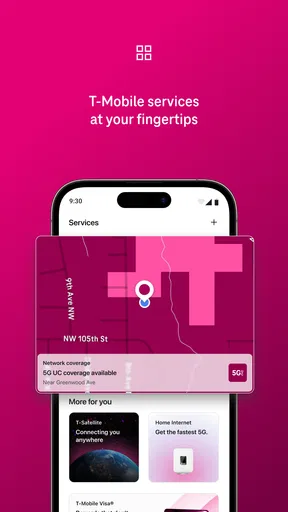
Made by T-Mobile USA, T-Life is a free lifestyle app for people who want a mobile route into their T-Mobile experience. The key benefit is consolidation: it gives customers a single place to begin instead of making them hunt through browser pages or keep several carrier-related shortcuts on their phone. I would think of it as a convenient front door, not as a reason to expect every task to feel effortless.
That distinction is important. A unified app can reduce the mental overhead of remembering where to go, but it cannot make every account question, plan decision, or service issue equally simple. The value is having one familiar starting point. How much time that saves depends on what you need to do and how comfortably you already manage your account through other channels.
The app is listed in the lifestyle category, though its practical appeal is less about leisure than managing a service that many people rely on every day. It is rated for Everyone, so its audience is broad, but its usefulness is naturally strongest for people who are already T-Mobile customers or are considering becoming one. If you have no reason to interact with the carrier, there is little here to make it a regular part of your routine.
What consolidation changes in everyday use
Carrier tasks tend to be occasional rather than constant. You might go weeks without needing to check anything, then suddenly want to review a detail, sort out a question, or find the right place to handle an account matter. In that moment, an all-in-one app can be more helpful than a clever feature you use once and forget: it narrows the first decision from “Where do I go?” to “Can I start here?”
My practical advice is to treat T-Life as a hub for beginning and organizing those interactions, rather than assuming the phone app is always the best place to finish them. If a task is straightforward, an app is a natural choice. If it involves a complicated explanation or a problem that needs careful back-and-forth, I would be ready to use another support channel if that proves clearer. Convenience is useful, but it should not become a reason to keep repeating a confusing in-app process.
This is also why I would not judge the app only by how often I open it. A service-management tool can earn its space by being easy to find when something comes up, even if it spends much of the month untouched. The more valuable question is whether it helps you resume a task without having to remember a maze of separate destinations.
A practical way to use it without wasting time
When I need to handle a T-Mobile matter, I would first open T-Life and identify the kind of task before tapping around. That small pause helps keep a broad hub from turning into a browsing session. If I know whether I am trying to check an account detail, understand a service question, or reach the appropriate next step, I can judge quickly whether the app is helping or whether I should switch to a more direct route.
A useful habit is to finish one task before exploring unrelated sections. In an app designed to bring multiple parts of a customer experience together, it is easy to drift from the thing you came to do. Keeping the original question in mind makes the app more practical: locate the relevant area, complete what you can, and note what remains if the issue needs follow-up elsewhere.
I would also avoid making an urgent or complicated issue depend on guesswork. If the first path does not clearly match your situation, stop and reassess rather than trying random options. That is not a criticism unique to T-Life; it is a sensible way to use any carrier hub, where a simple navigation choice can lead you toward a different kind of support than the one you actually need.
Where it earns its place: a small everyday scenario
Imagine you are away from home and realize you need to sort out a T-Mobile question before the end of the day. You could search through old messages for a saved page, open a browser and try to find the right account destination, or start in T-Life and see whether the relevant route is already there. The app’s strongest everyday promise is reducing that initial search and giving you one familiar place to check first.
That benefit is modest but real. It is not the same as guaranteeing that a question will be resolved immediately, and I would not plan around that assumption. Instead, the advantage is that you can begin on your phone without reconstructing where you last handled a carrier task. For people who manage most services digitally, that can make occasional chores feel less scattered.
There is a second, less obvious use: T-Life can act as a memory aid for your own process. If you make it your default place to begin, you are less likely to forget which route you used last time. That consistency is especially handy when a task comes up only now and then, because infrequent chores are precisely the ones whose steps are easiest to forget.
Tradeoffs: one hub is not always the best route
The main tradeoff of a combined app is that a broad destination can feel less direct than a single-purpose tool. If you already know exactly what you need and have a preferred way to handle it, opening another app may add a step instead of removing one. Someone who rarely uses a smartphone for account management may also prefer a browser or another familiar support route over learning a new interface.
There is also a difference between finding a task and resolving it. A central app can help you locate a starting point, but account matters can still require attention, patience, and clear information from you. I would not install T-Life expecting it to replace every conversation or make every service decision self-explanatory. Its role is more practical: reduce fragmentation where it can, while leaving you free to choose another channel when that is more effective.
For a complex problem, I would keep a brief note of what I have already tried before switching channels. That avoids the common frustration of starting from scratch when moving from an app to another form of support. It is a small workflow improvement rather than a special feature, but it makes a hub more useful: the app can be your first stop without becoming the only stop.
Compared with the usual alternatives, the choice is straightforward. A browser can be better when you want to move directly to a page you already know. A support conversation can be better when your situation needs explanation. T-Life makes the most sense between those extremes: when you want a mobile place to begin, but have not yet decided which route will solve the task.
Who is most likely to benefit
I would recommend T-Life first to T-Mobile customers who prefer to manage routine carrier matters from their phones and value having one starting point. It is especially sensible if you sometimes forget where a particular task belongs or dislike searching through browser history for the right destination. You do not need to be a heavy app user for that convenience to matter; occasional, well-timed use can be enough.
It is less compelling for someone who is not a T-Mobile customer, who handles every carrier issue through another method and is happy with it, or who wants a dedicated app for only one narrow task. In those cases, installing a broad customer hub may not change much. I would also suggest choosing another route when a question is urgent, unusually complicated, or not clearly matched by what you see in the app.
Its public reception is strong: T-Life has an average rating of 4.6 from around 1.1 million ratings, with about 105,000 reviews and over 10 million installs. Those figures suggest many people find it worth keeping, but they do not tell me whether it suits your habits. The more personal test is whether you would rather begin carrier tasks in one app than search for a direct route each time.
My verdict on making it your first stop
T-Life is most convincing as a practical home base, not as an app that needs daily attention. I like the idea of having one familiar place to begin a T-Mobile task, particularly when I cannot remember which channel is most appropriate. The payoff is less about excitement and more about reducing small bits of friction at the moment they matter.
If you are already with T-Mobile and handle service matters on your phone, I think it is worth trying as your default starting point. Give it a fair test with a routine task, then keep using it only if it gets you where you need to go without extra wandering. If a browser or direct support works better for your situation, use that instead; a hub is useful only when it genuinely makes the next step clearer.
As a free app from T-Mobile USA, released on June 6, 2016, it has had time to become a familiar option for customers looking for a consolidated mobile experience. My recommendation is measured: install it if having a single place to begin would make carrier chores easier, but do not treat it as a substitute for every other way of getting help. For the right customer, that focused role is enough to make it useful.
Pros and cons
Pros
- One app brings together T-Mobile account tools and member benefits.
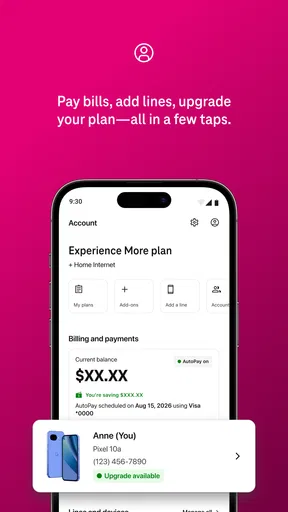
- Eligible customers can check plan details and manage account settings.
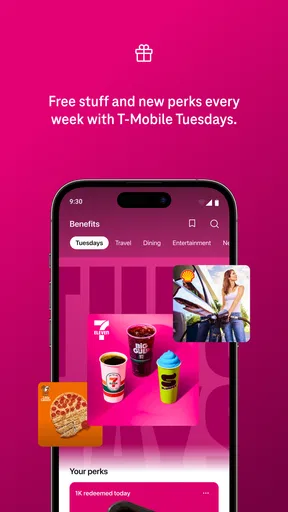
- The app provides access to T-Mobile Tuesdays offers.
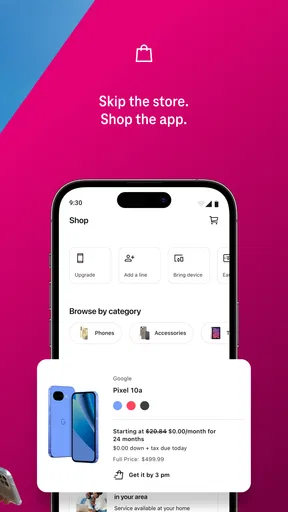
- Customers can browse devices and accessories in the app.
- Support options make it easier to get help without calling.
Cons
- Many features are limited to T-Mobile customers.
- Some offers require an eligible plan or account status.
- Promotions may change or expire without much notice.
- Account features require signing in with T-Mobile credentials.
- The app may request permissions that some users prefer to limit.


